




As Rwanda prepares to roll out a new Digital National ID system. Before the official launch, citizens and residents are required to complete a pre-enrollment process to verify and update their personal information. This step ensures that your data is accurate before biometric data is collected and the digital ID is issued.
Single Digital ID pre-enrollment is divided into 2 categories:
Digital ID Pre-Enrollment for Adults is intended for applicants aged 18 and above and
Digital ID pre-enrollment for dependents, which is for applicants who are below 16 and for persons with special needs. For more information about this service, click here
What Is Pre‑Enrollment?
Pre-enrollment is the first step in getting a Single Digital Identity (SDID) number. It lets citizens review and update their personal details online, submit any required documents, and book a biometric capture appointment, ensuring their identity data is accurate and consistent before full enrollment.
What Are the Benefits of the Digital ID?
You might wonder why we are transitioning to Digital ID. Here’s why:
Improved security using advanced biometrics
Access to services faster and more securely
You have control over your personal data, and you choose what to share
Works both online and offline
What to Know Before Applying for Pre-enrollment?
To apply, you must be logged in to your account. If you don’t have one, click here to learn how to create it.
For Digital ID pre-enrollment for adults, you must be 18 years or older.
You must have a National ID, Foreigner ID, or NIDA application number.
If you don’t have any identification documents, visit your local sector or cell office for Civil Registration and Vital Statistics (CRVS) registration.
How to apply for this service?
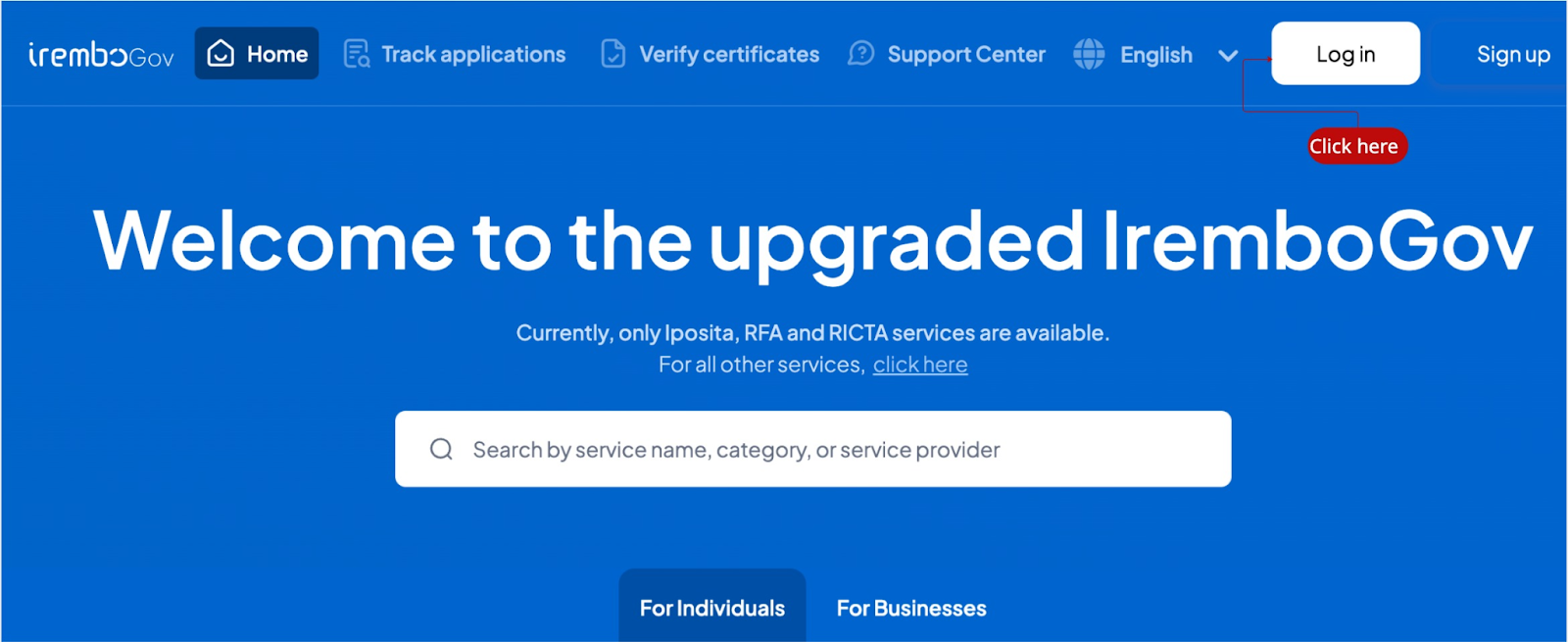
Visit new.irembo.gov.rw and log in to your Irembo account. If you don’t have one, click here to learn how to create it.
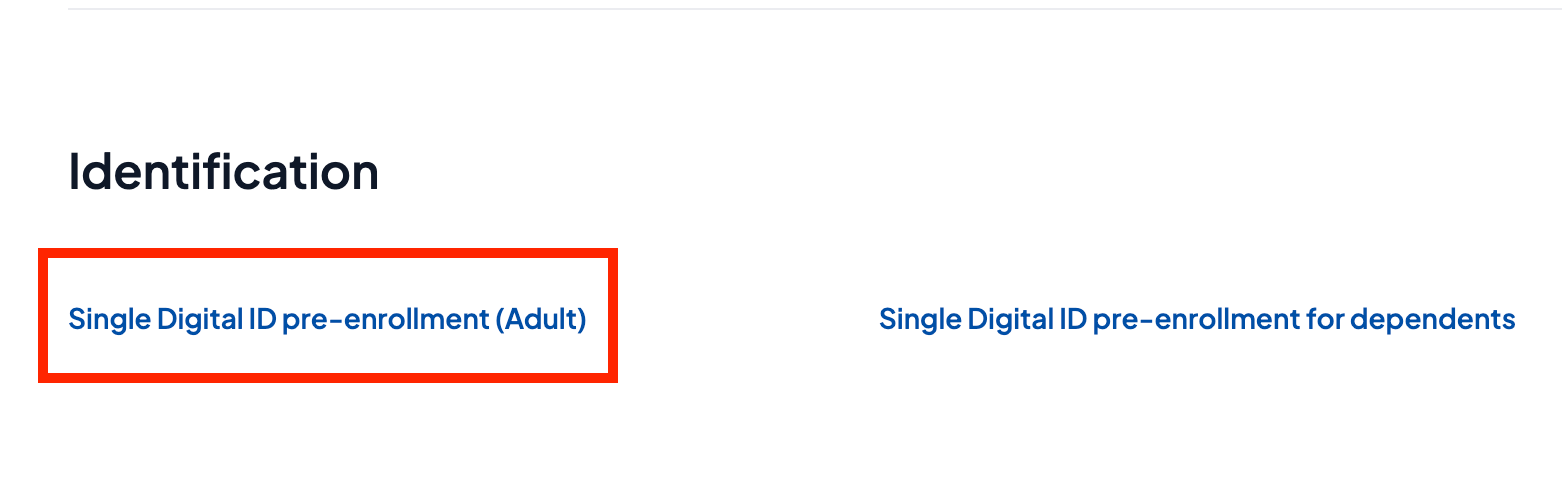
Scroll under the Identification category, then click on Digital ID pre-enrollment (Adult)
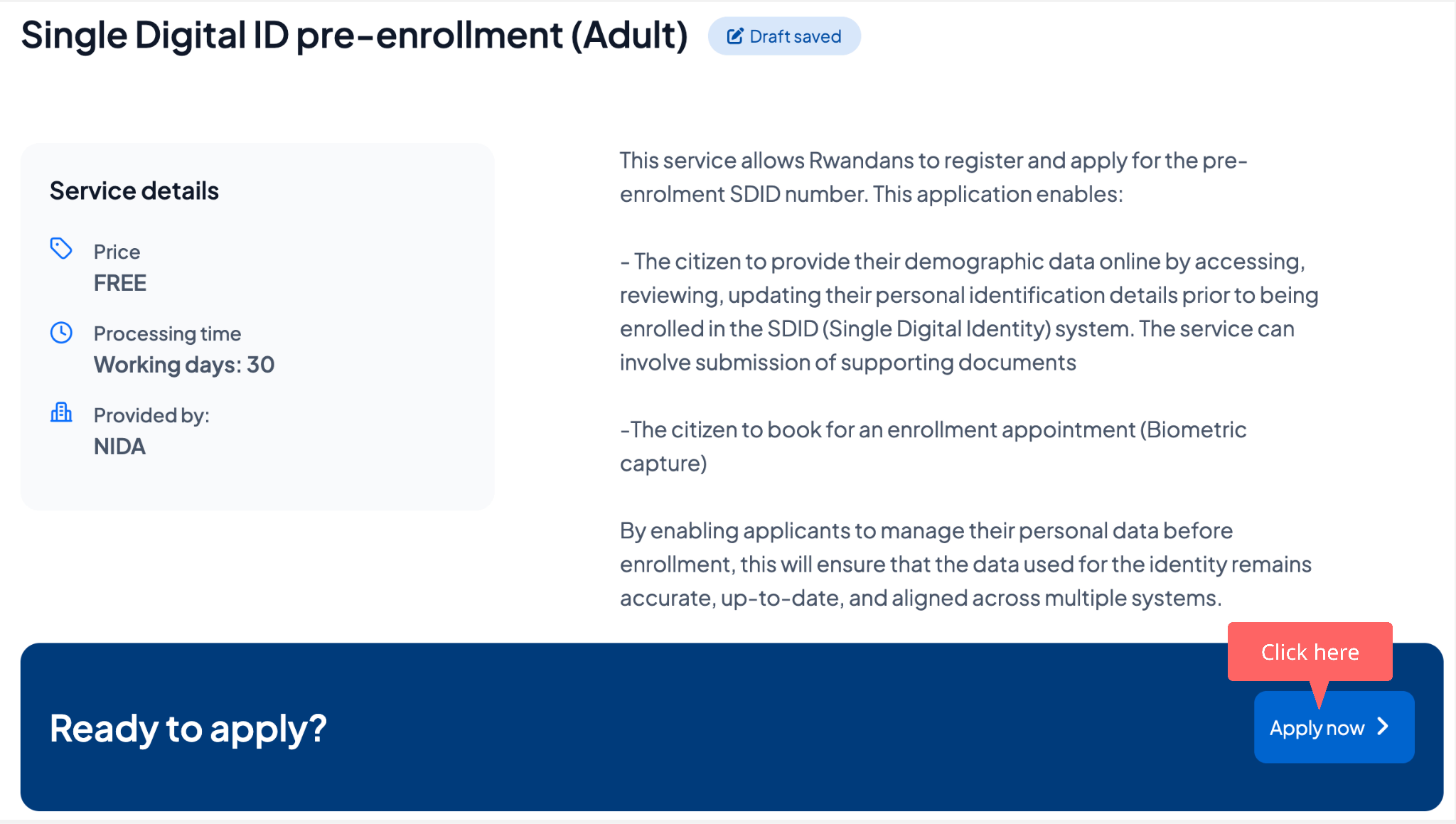
Click "Apply Now" to begin your application.
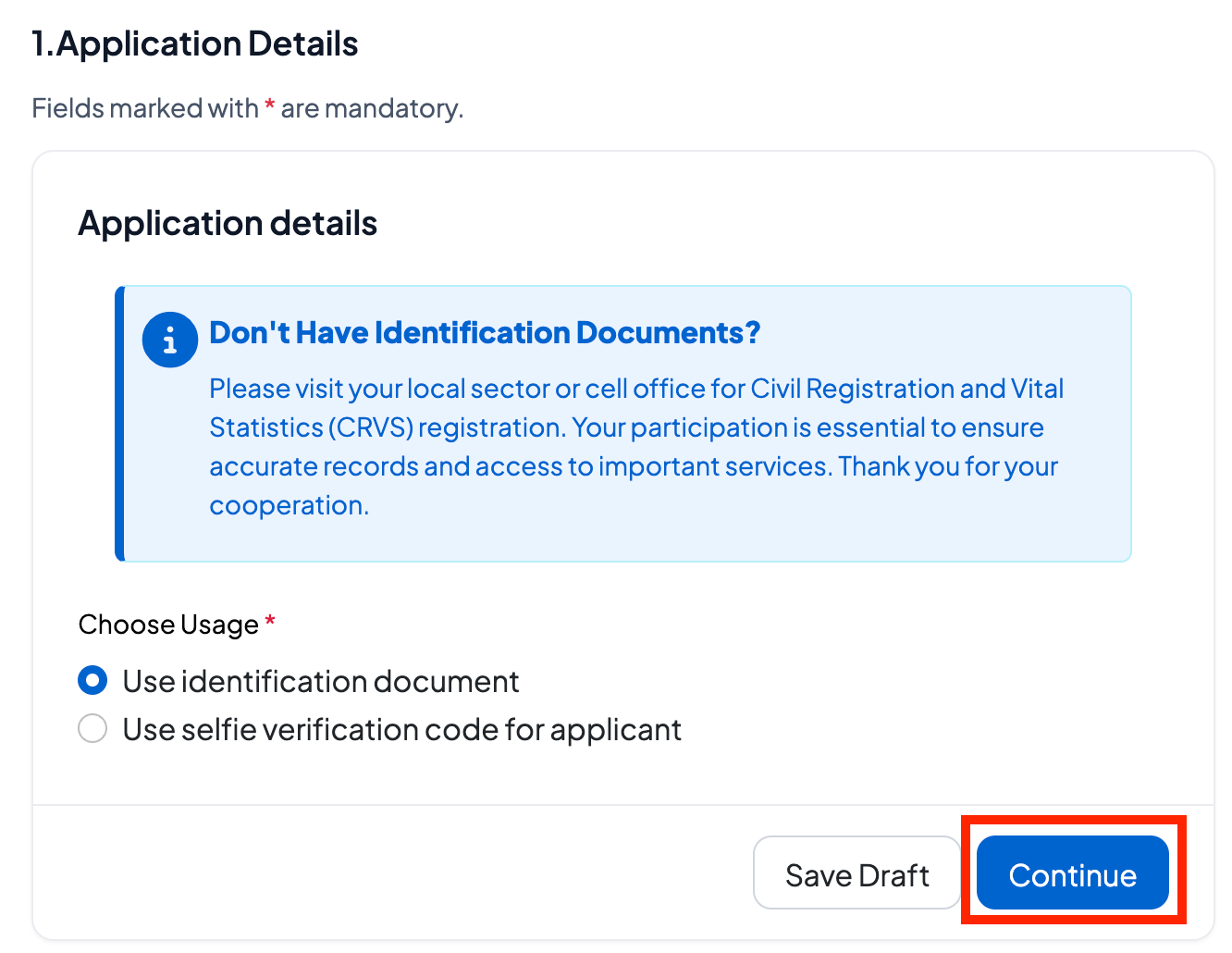
Select whether you are applying with identification or selfie code verification, then click Continue to proceed.
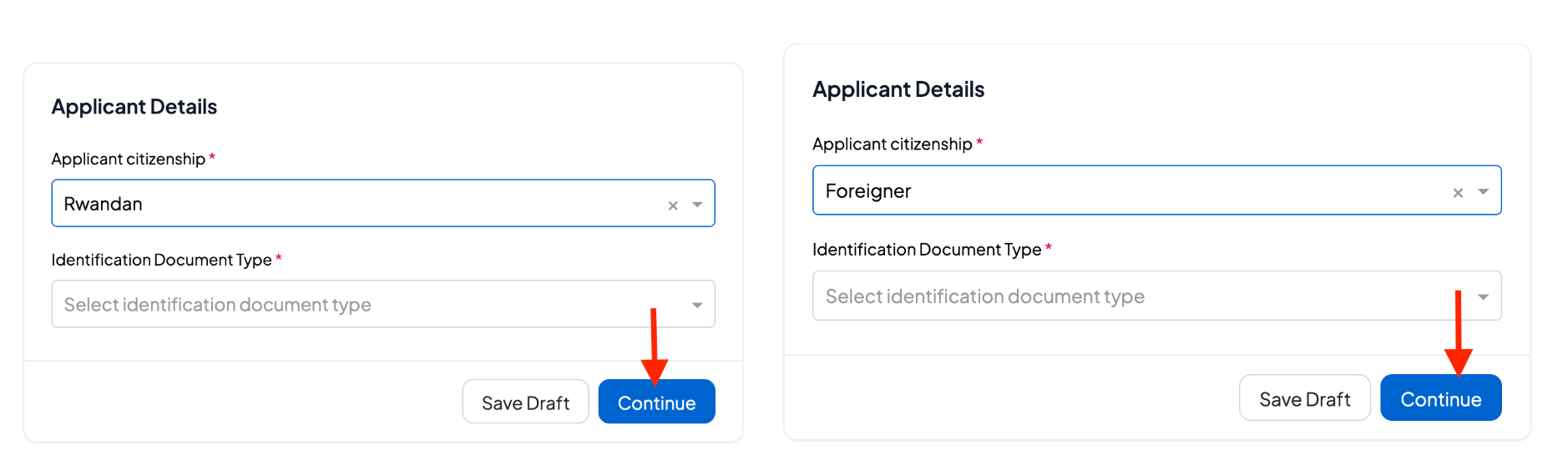
Choose whether you are applying as a Rwandan citizen or a foreigner legally residing in Rwanda.
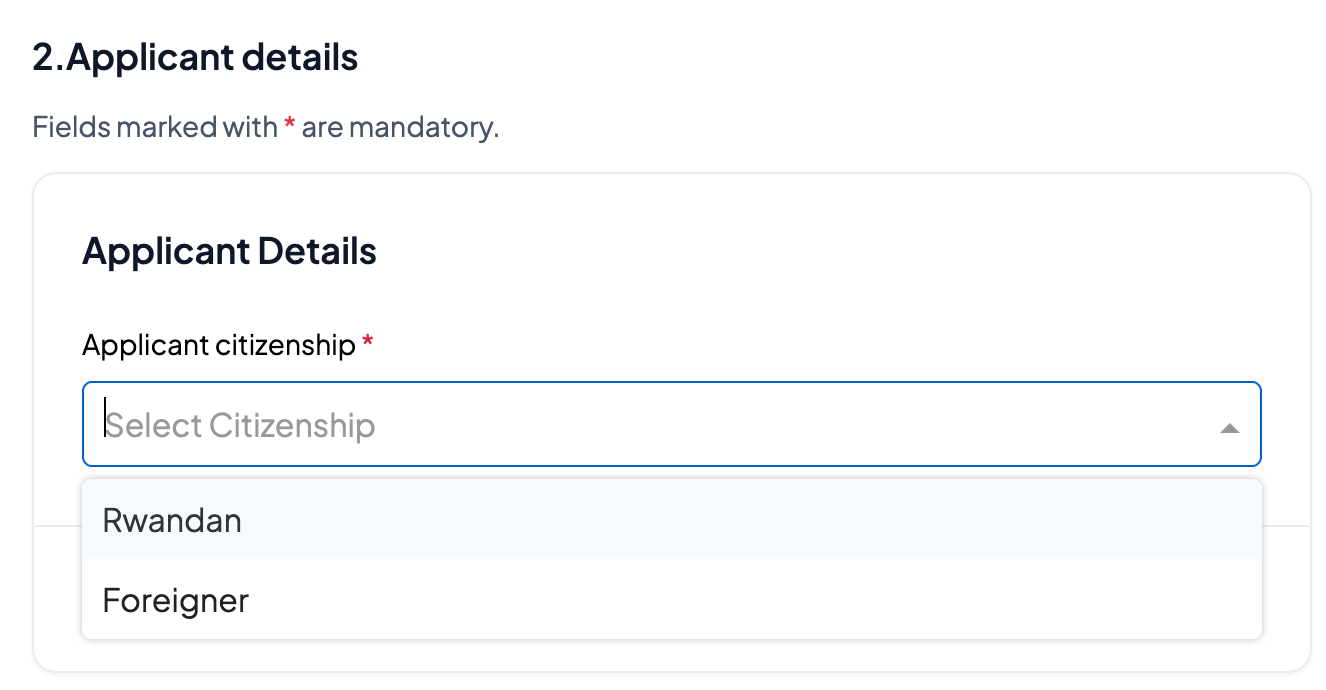
If you are Rwandan, enter your National ID or NIDA application number. If you are a foreigner, enter your Foreigner ID.
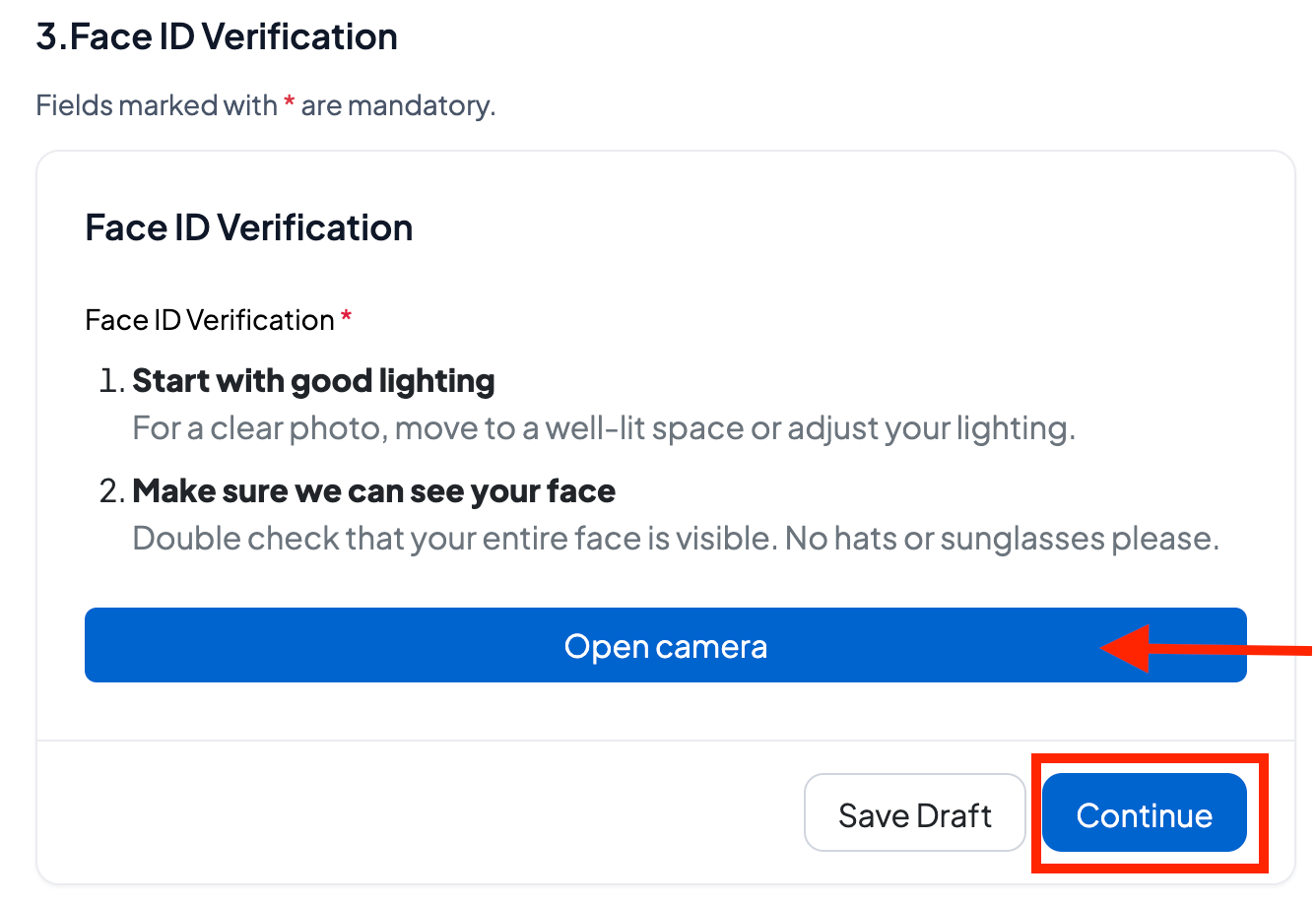
Face ID Verification: Use facial recognition to securely verify your identity by following the on-screen prompts.
Note: If Face ID verification fails, you can use Selfie Code Verification, which is a one-time OTP sent to the phone number you provided.
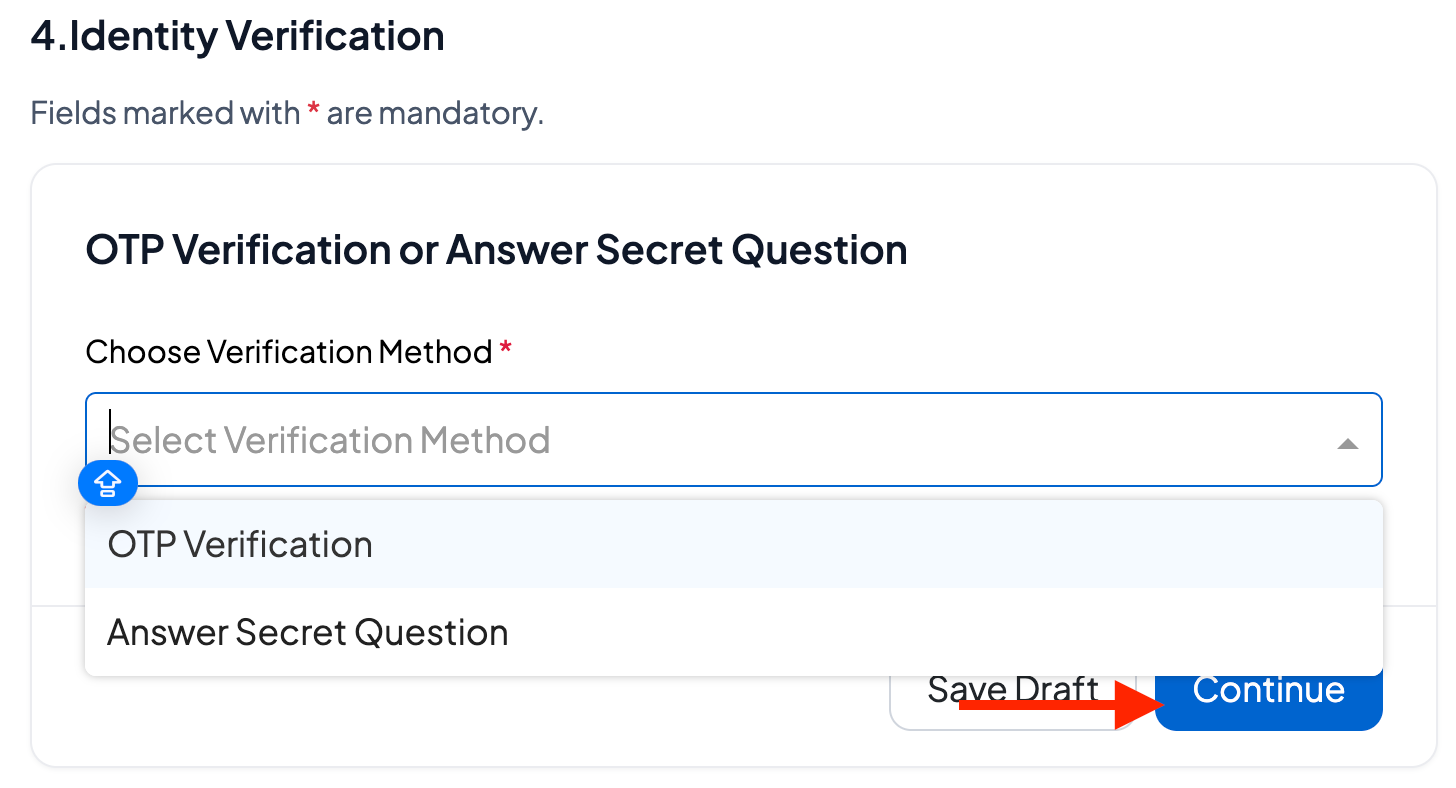
Verify your identity by entering the one-time password (OTP) sent to your registered phone number or by correctly answering your secret question.
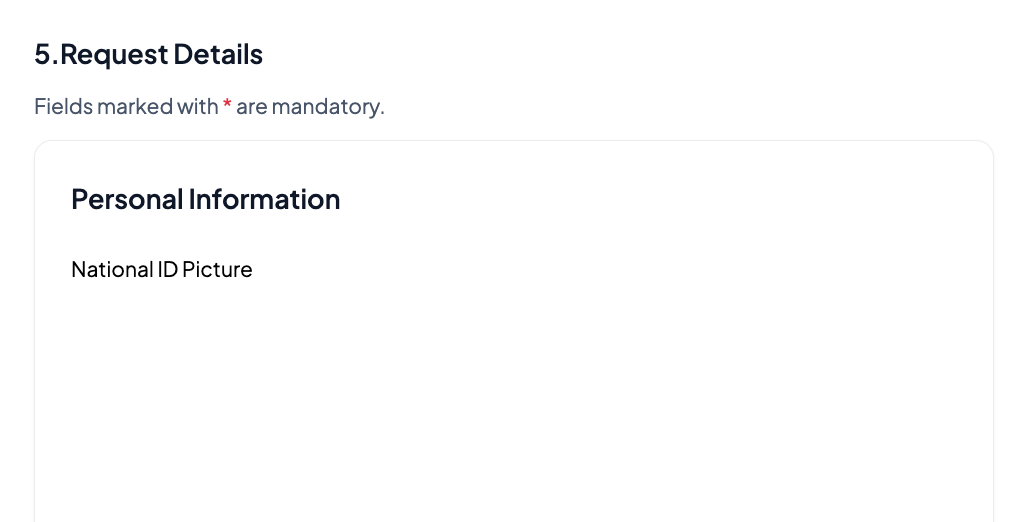
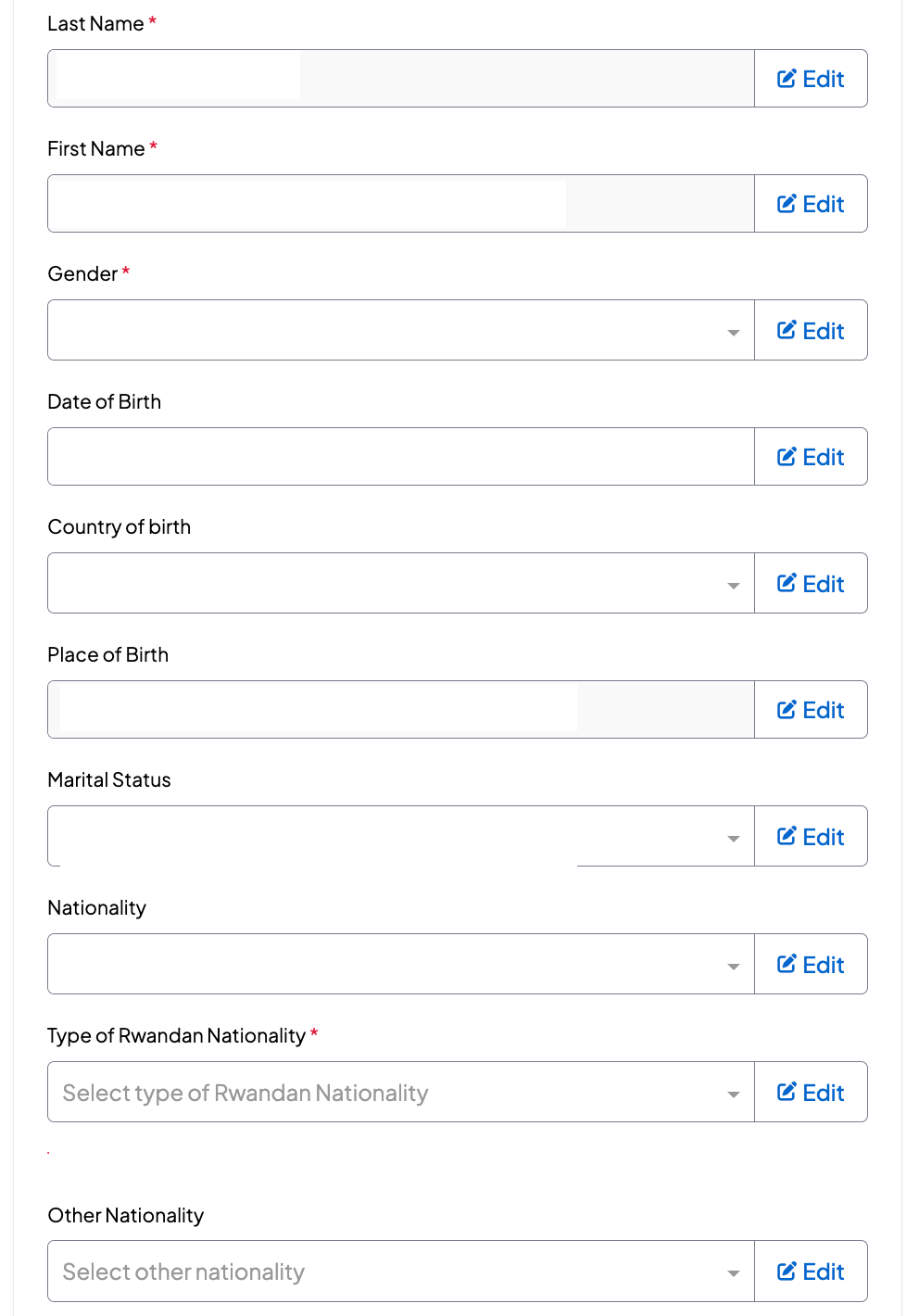
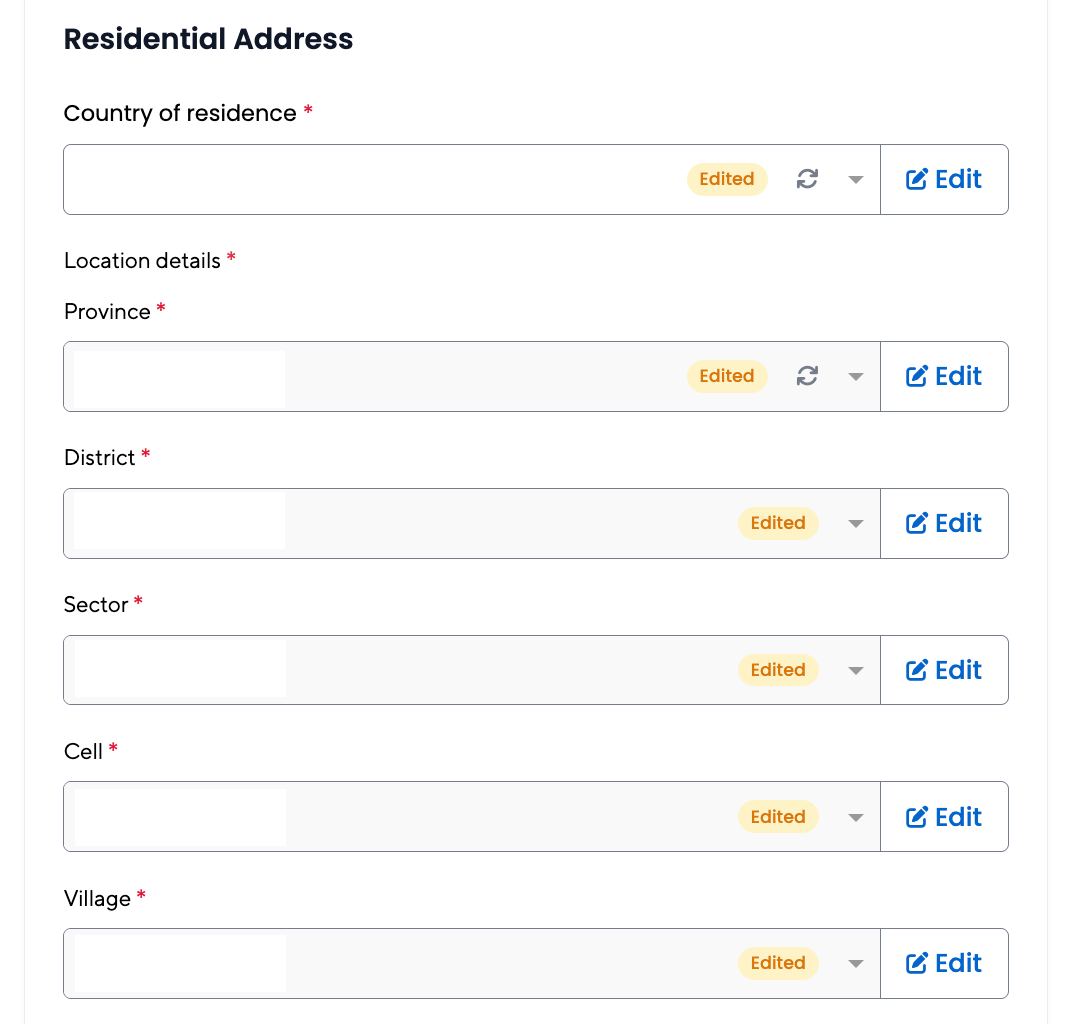
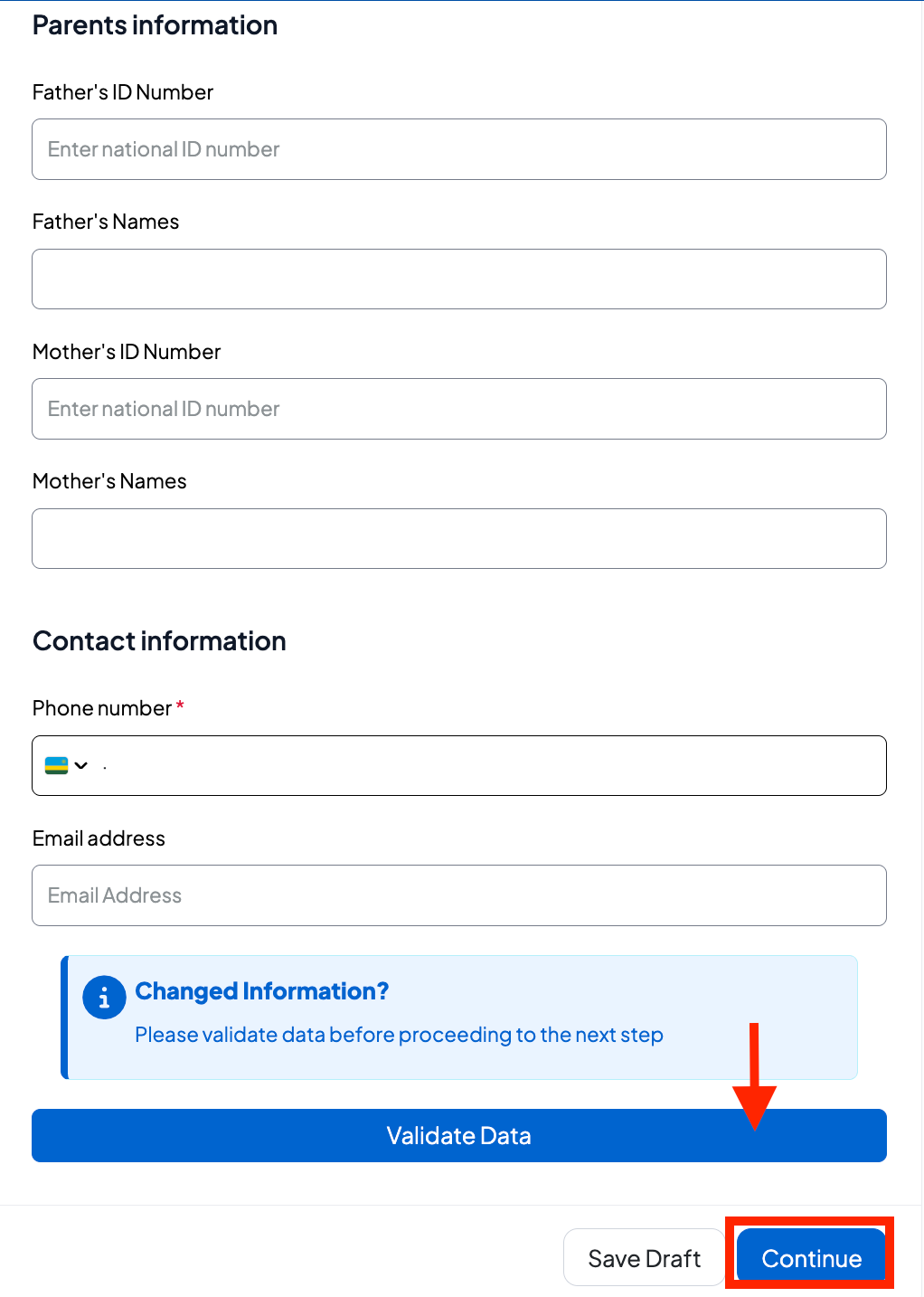
Request Details verify the personal information, residential address and parents' information; enter the contact information and continue to proceed
Upload the required documents if requested.
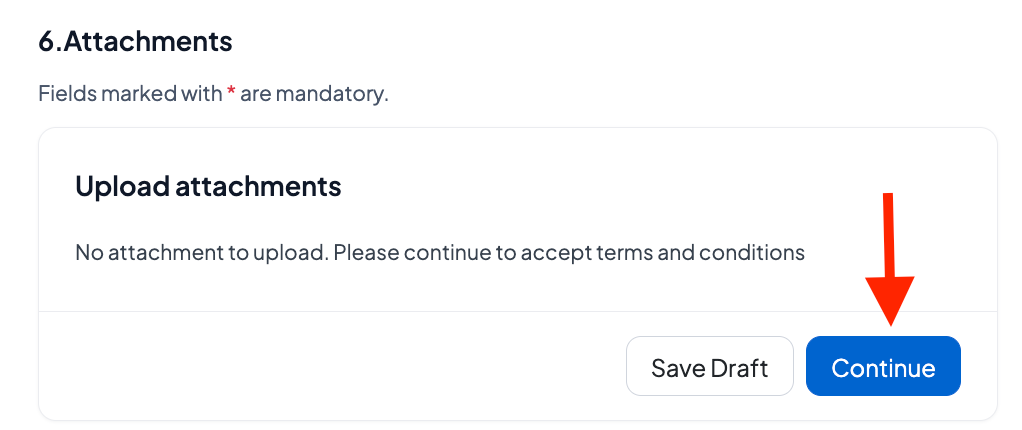
Upload the required documents if requested.
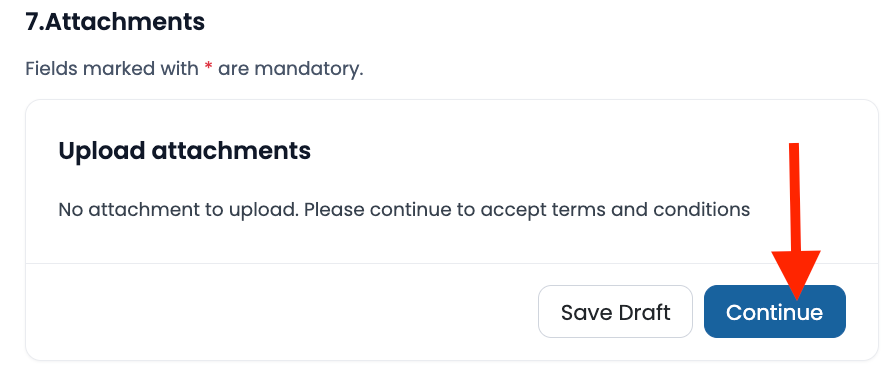
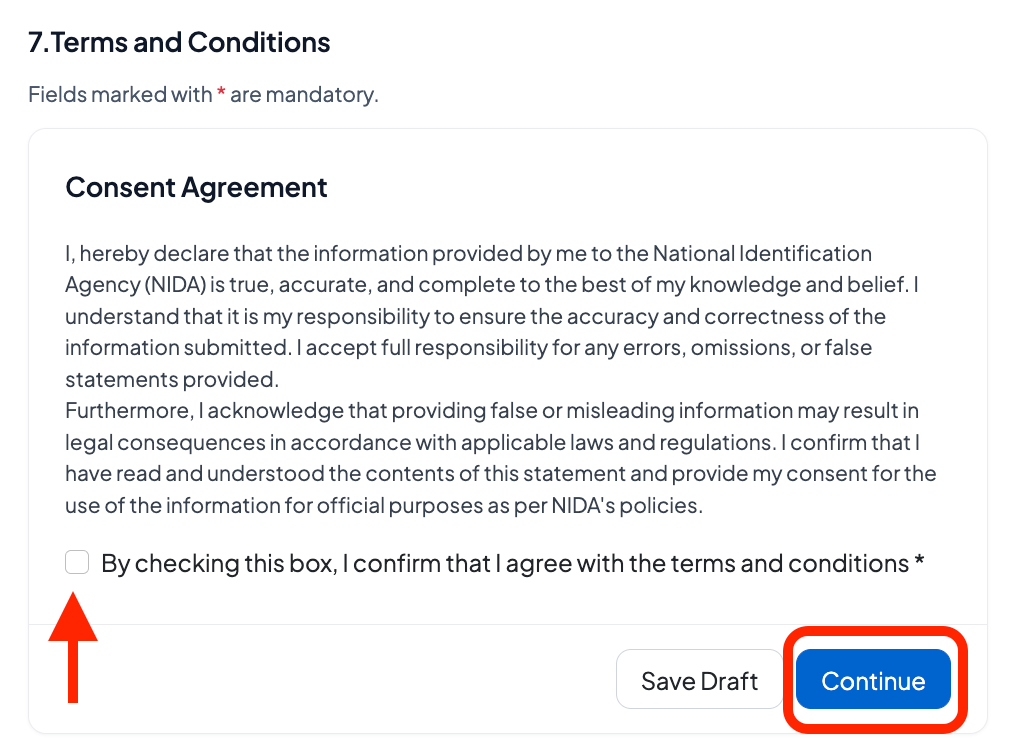
Sign the consent form to proceed
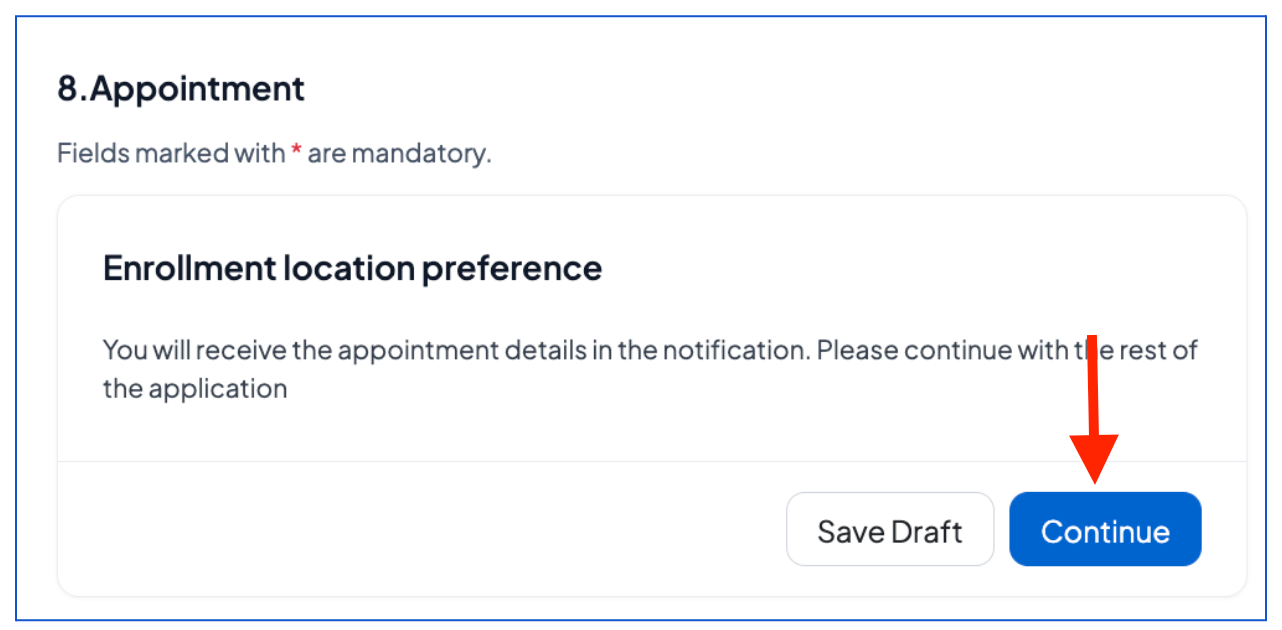
Click “Continue” to proceed with the appointment details that will be provided to you in the notification.
Verify that the information is true, enter a phone number (local) and email address, check the verification box, and click "Create an application."
What Happens After Submitting Your Pre-Enrollment Application?
After successfully completing pre-enrollment:
You will receive a notification via SMS or email confirming that your application has been successfully submitted.
Once received and approved, you will receive your confirmation with a pre-enrollment number and an appointment to provide your biometric data at the nearest center via email.
Was this article helpful?
That’s Great!
Thank you for your feedback
Sorry! We couldn't be helpful
Thank you for your feedback
Feedback sent
We appreciate your effort and will try to fix the article