




This service is provided by WASAC (Water & Sanitation Corporation) through IremboGov.
Note: Currently, this service is only available to applicants with land located in Kigali.
What you need to prepare before applying:
To apply for this service, you must be logged in to your account for easier tracking of your application and to ensure data privacy. If you don’t have it, click here to know how to create it.
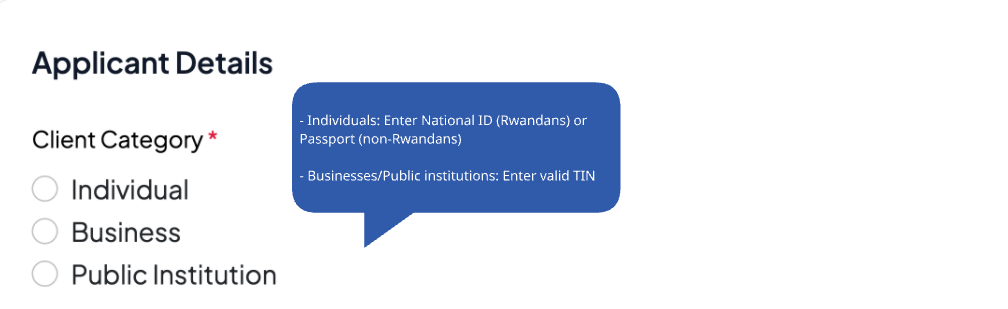
An individual must provide one of the following:
National ID (for Rwandans)
Rwandan national ID
Rwandan refugee ID
Rwandan foreigner ID
Passport number (for foreigners)
Businesses and public institutions are required to have a valid Tax Identification Number (TIN).
And a UPI Number
Price & Processing Time
Step-by-step to apply for this service
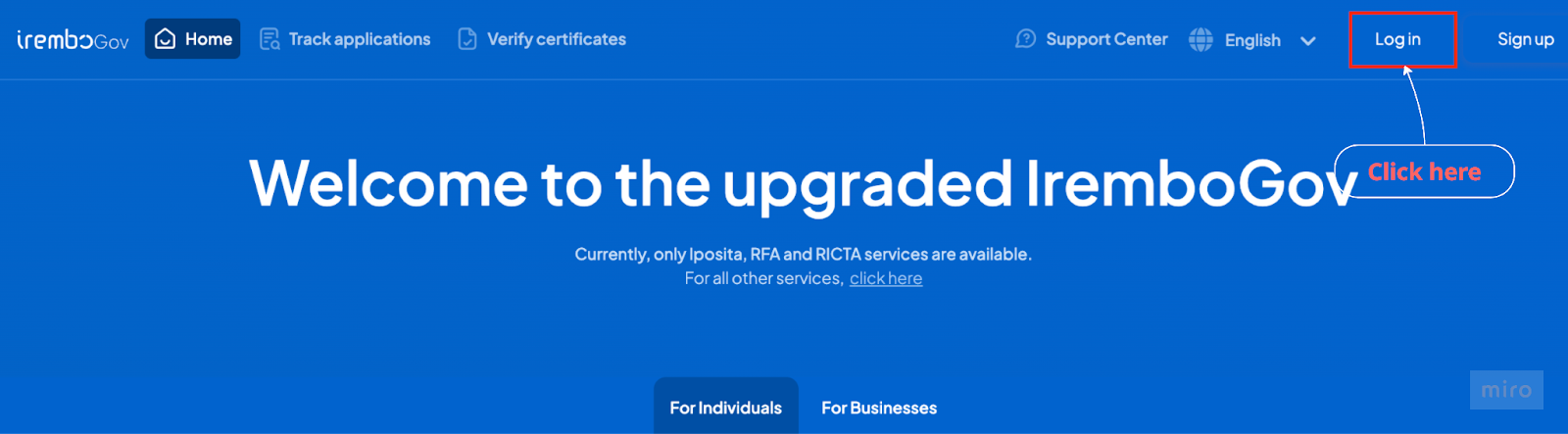
Visit Irembo at new.irembo.gov.rw Log in to the IremboGov platform.
If you don’t have an account, click here to learn how to create one.
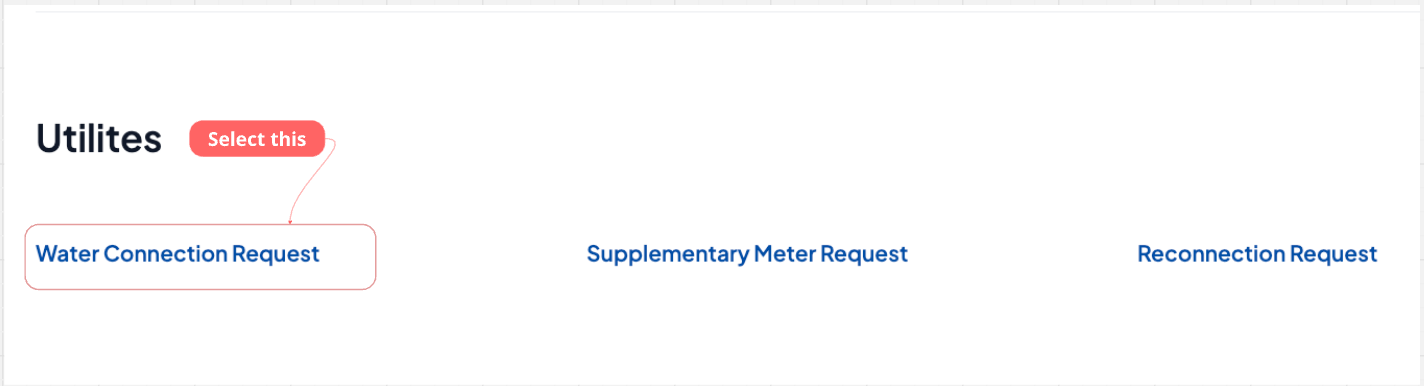
2. Scroll down to the “Utilities” category and click on “Water connection” to proceed.
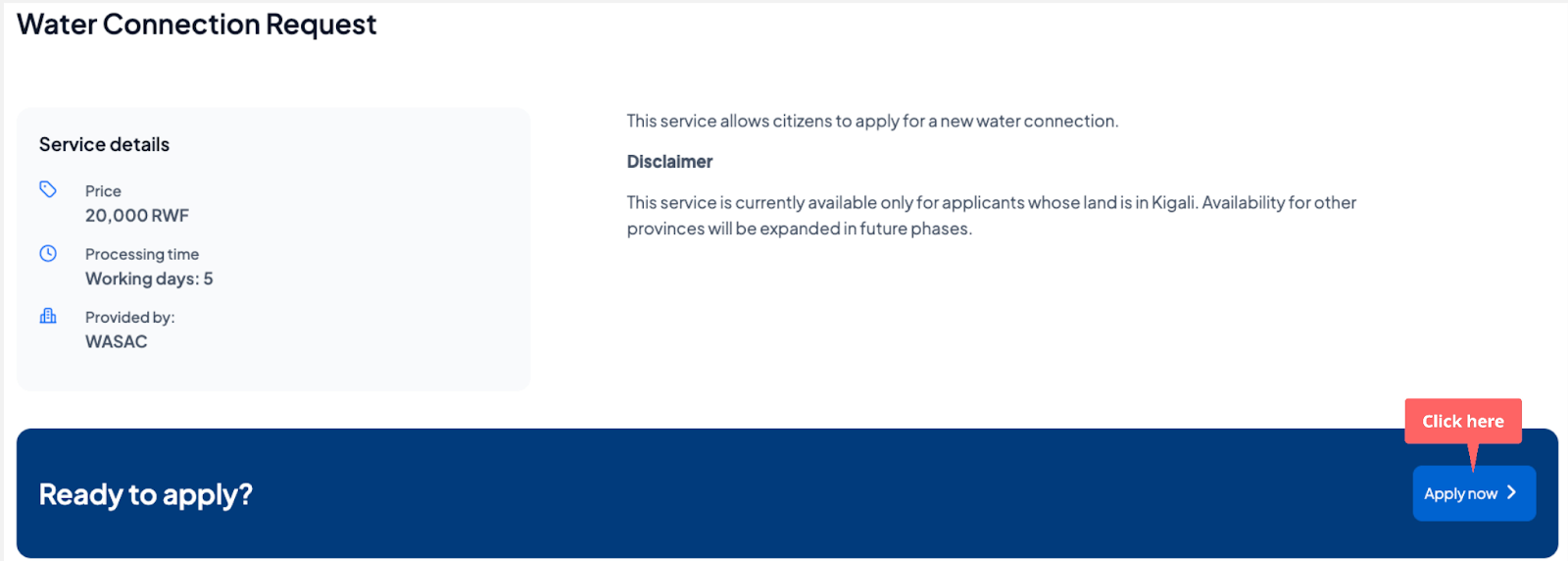
3.Click Apply and start the application
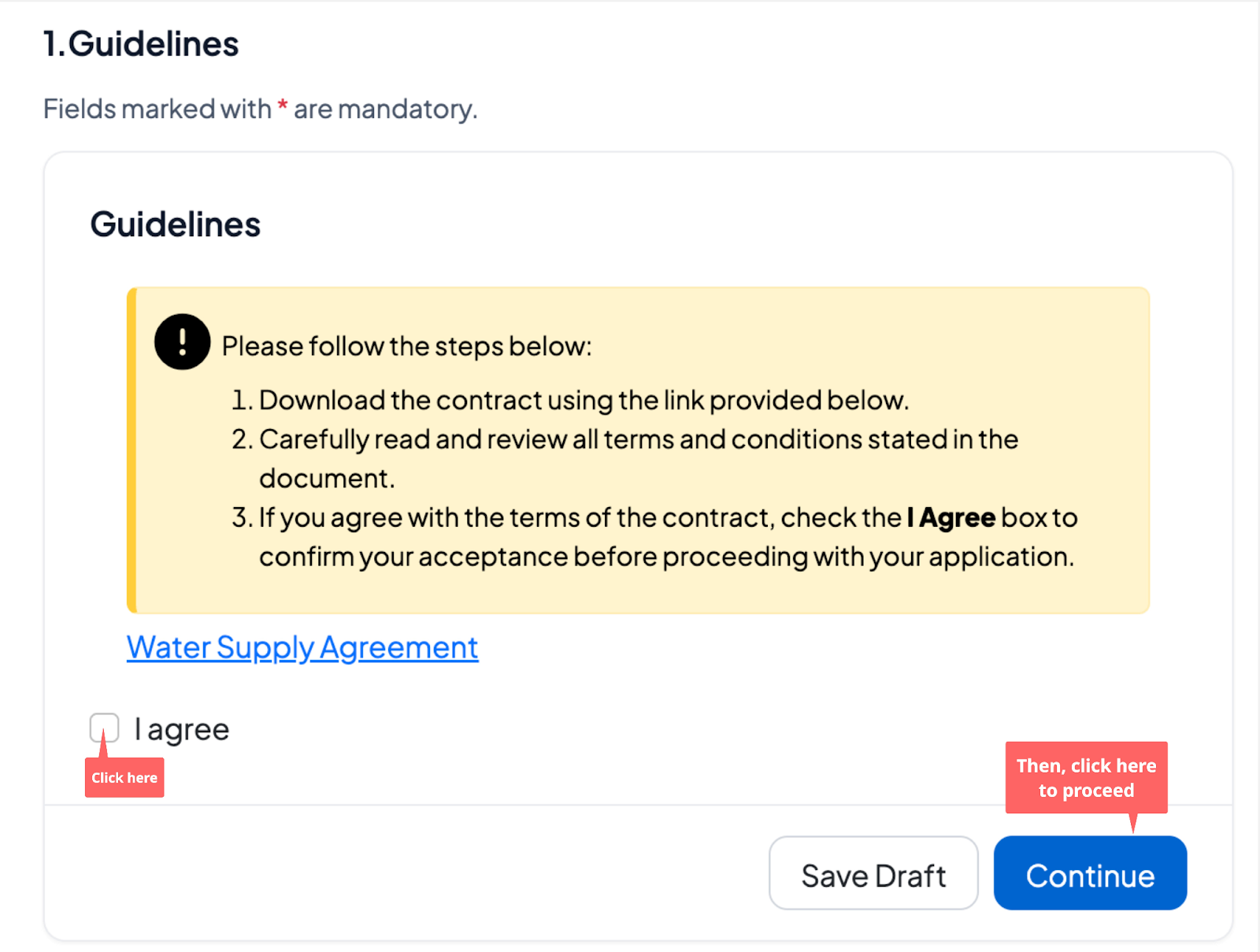
4. First, download and read the contract file. If you agree, click “I agree,” then “Continue” to proceed.
5. Select whether you are applying as an individual, business, or public institution based on your category, then provide the requested details.
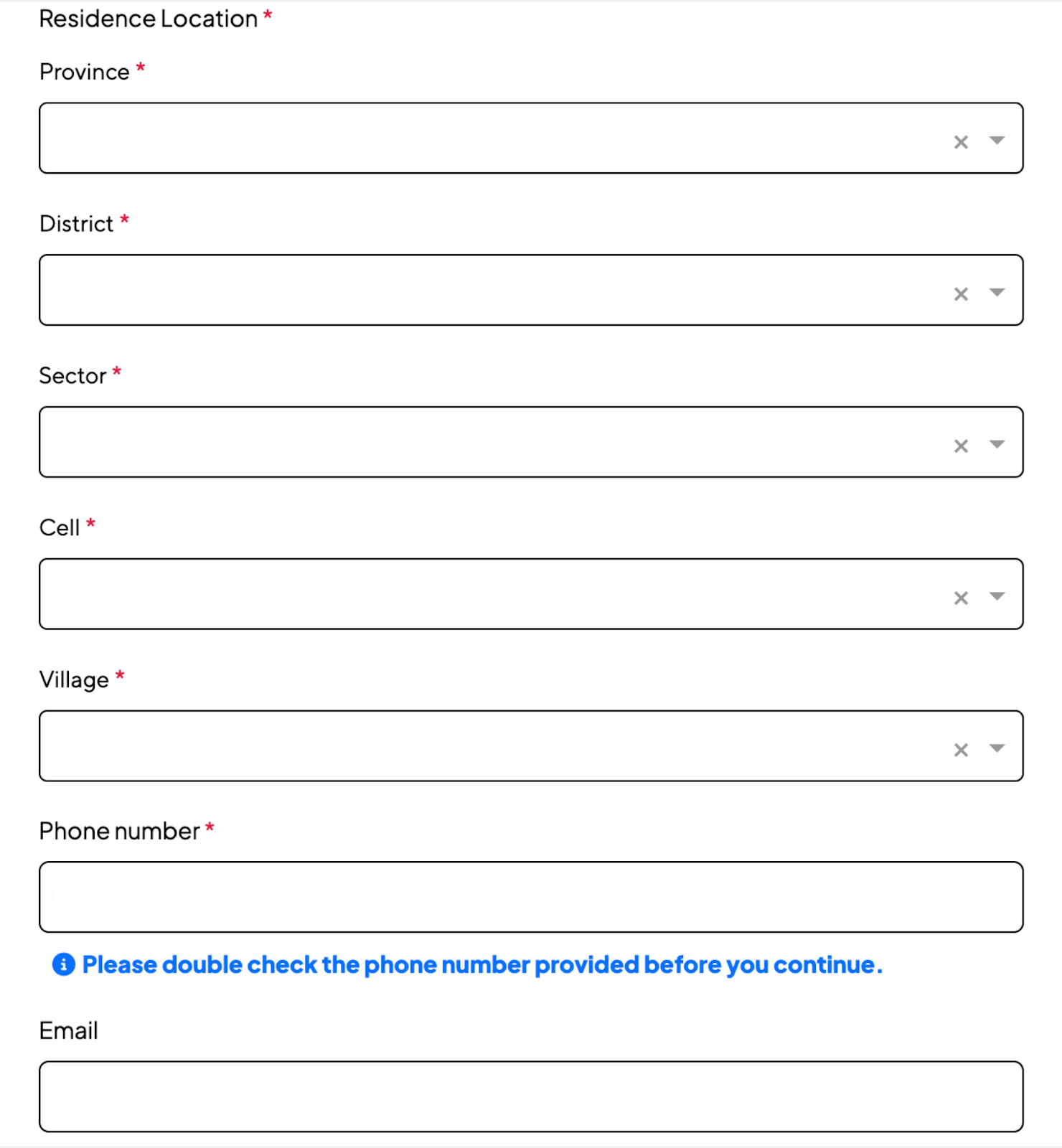
6. Enter residential details as requested, starting from the province to the village.
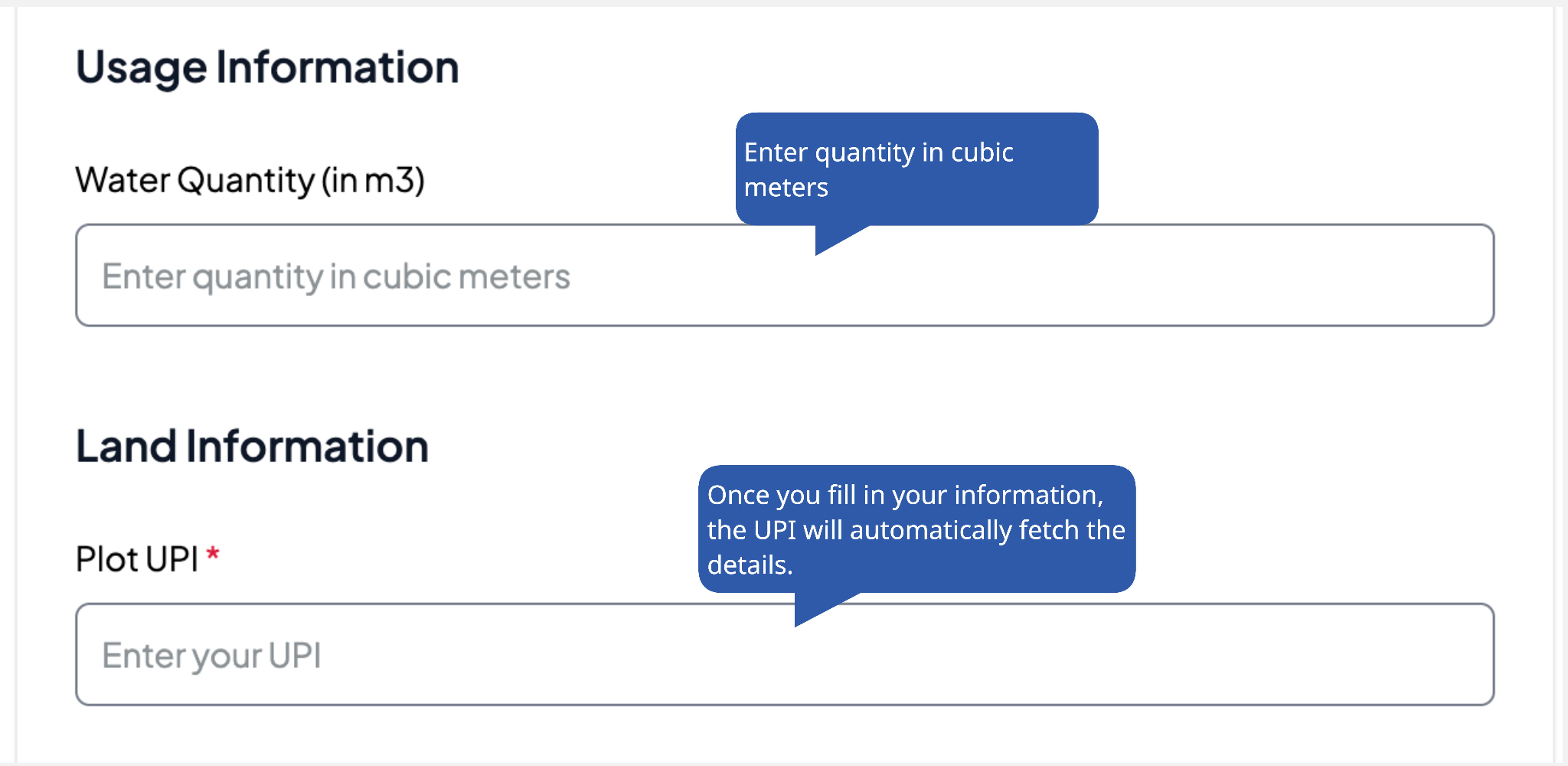
7. Fill in the usage information and land information, such as the water quantity and plot UPI.
8. Verify that the information is true, enter a phone number and/or email address, check the verification box, and click Submit.
9. You will receive an email or SMS confirming submission, including the application number (B2…..) to track your application.
Next Steps after Submitting Your Application
Step 1: The application is sent to the requested sector for processing.
Step 2: You will receive a list of items (bill of quantities) you need to buy.
Step 2: When the application gets provisionally approved, it will be returned to you for uploading the EBM invoice and resubmitting.
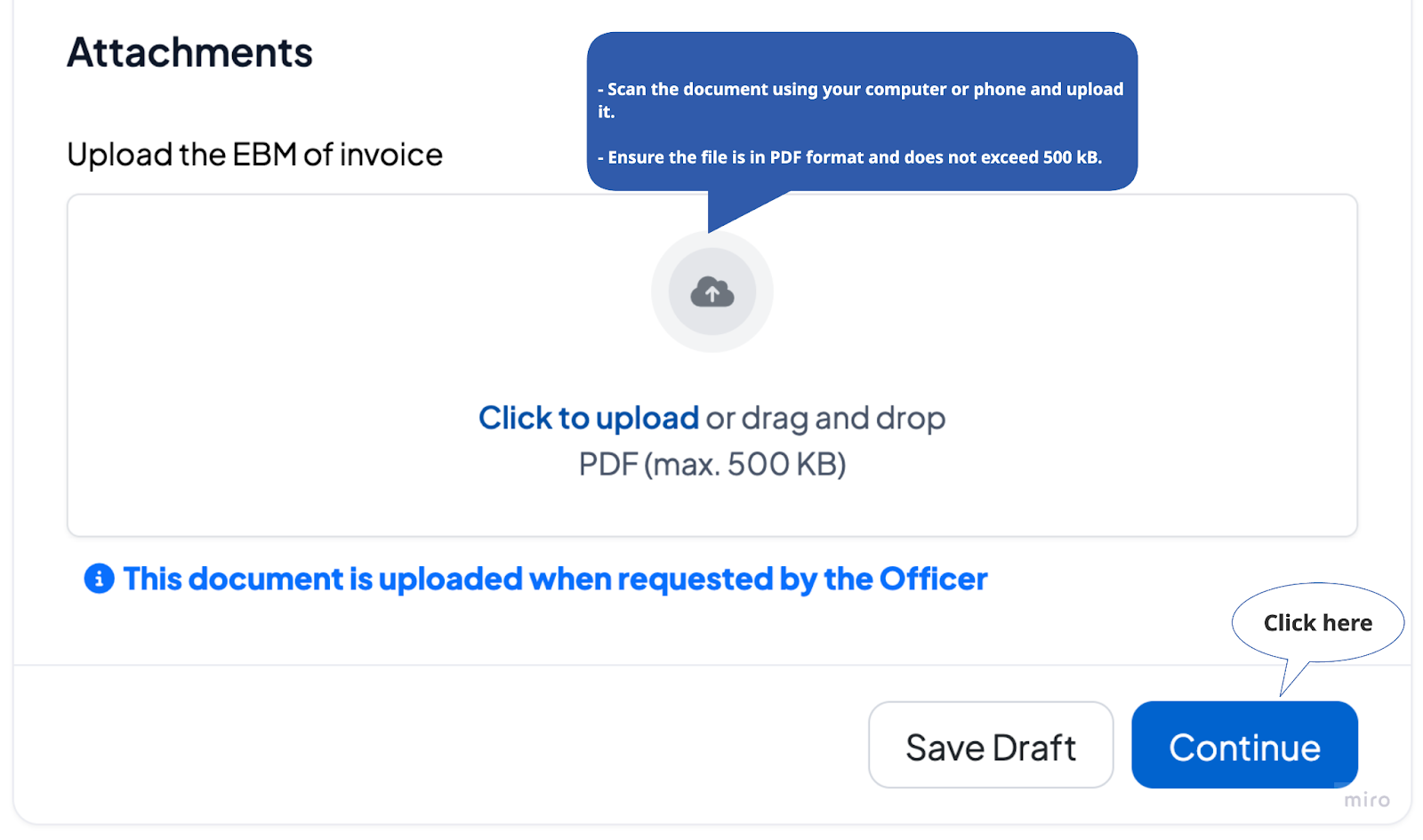
Step 3: Once the EBM invoice is verified, you will receive a billing confirmation and choose your preferred payment method. [Click here for more information about payment modes.]
Step 4: After payment, you will receive confirmation that the meter will be installed within two working days.
Step 5: Once installation is complete, you will receive a final confirmation.
Was this article helpful?
That’s Great!
Thank you for your feedback
Sorry! We couldn't be helpful
Thank you for your feedback
Feedback sent
We appreciate your effort and will try to fix the article